01
No check quota
Cloud services count every check and sell them in monthly bundles. Deskwatcher checks from your own PC, so there is nothing to count. Watch as many pages as you like, as often as every 5 minutes.
Windows app · runs on your own PC
Deskwatcher checks the pages you pick on your schedule, right from your PC. When the part you care about changes, a notification tells you, and the old and new words sit side by side. No monthly plan, no cap on checks.
Download for Windows Coming soon
See how it worksChecks run while your PC is on and Deskwatcher is running. Checks it missed run as soon as the PC is back.
Set it up once. It keeps checking from the system tray.
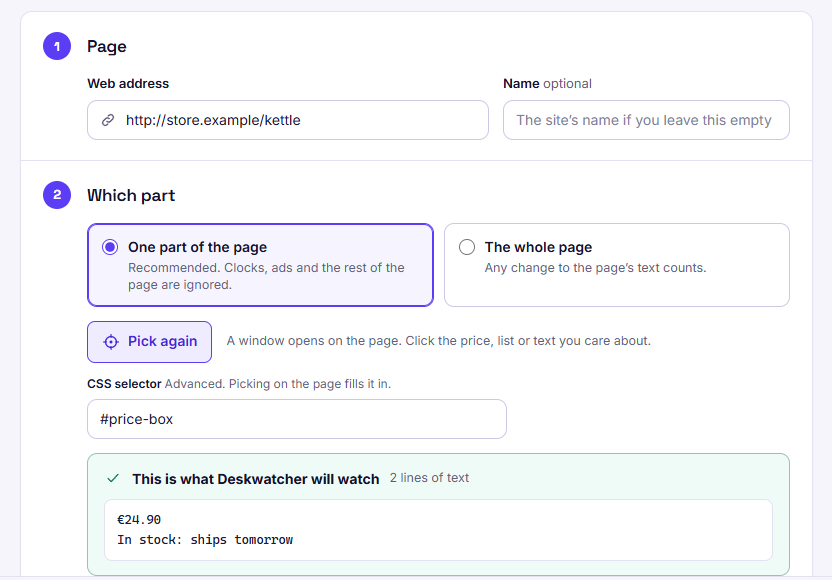
Paste the address, then click the price, the date or the paragraph on the page. Only that part is watched, so a rotating banner or a clock elsewhere never sets off an alert.
From every 5 minutes to once a day, for each watch. Deskwatcher starts with Windows and checks in the background.
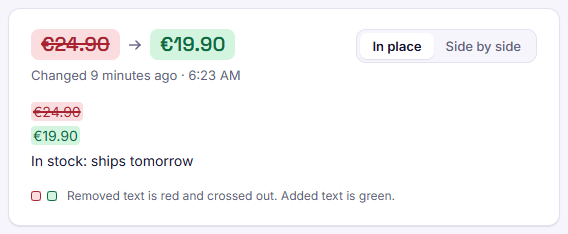
A Windows notification tells you the moment the part changes. Open it to see removed words in red and added words in green.
Three things we built it around.
01
Cloud services count every check and sell them in monthly bundles. Deskwatcher checks from your own PC, so there is nothing to count. Watch as many pages as you like, as often as every 5 minutes.
02
One payment covers 2 PCs, with no renewal. If it is not for you, ask for a refund within 14 days.
03
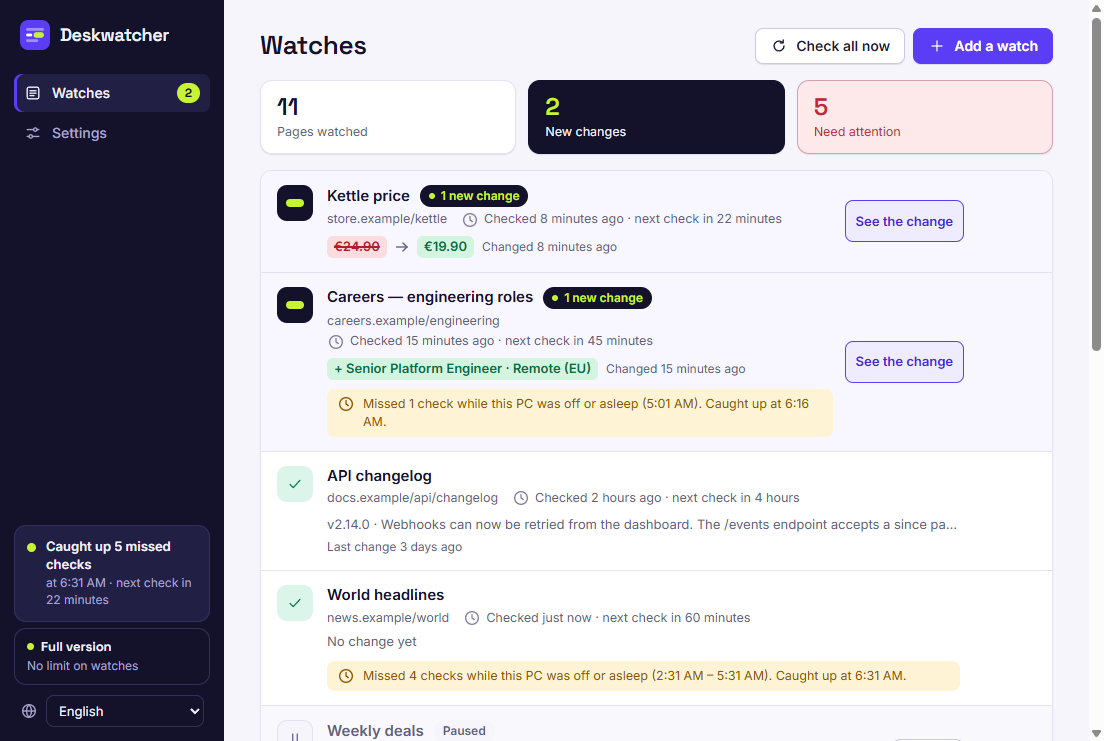
Every watch shows when it last checked and when it checks next. If your PC was off or asleep, the missed checks run as soon as it is back, and the watch says how many it missed. A watch that breaks shows an error, never a calm “no change”.
Screens captured from Deskwatcher during a test run against a local test page.
Better you hear it from us now than find out later.
And only while Deskwatcher is running. It can’t wake a sleeping PC. It catches up when the PC is back and tells you what it missed. If you need checks around the clock from a laptop that sleeps, a cloud service is the better tool.
It stores no passwords and fills in no forms, so pages you have to sign in to can’t be watched.
It doesn’t bypass CAPTCHAs or bot checks. If a site blocks automated visits, that watch shows an error. Please respect each site’s terms.
It compares words, not screenshots or images. PDFs and other files aren’t watched.
Windows 10 / 11 (64-bit). There is no Mac version and no phone app.
Windows SmartScreen warns you the first time you run the installer. The questions below explain what to do.
Start free with 3 watches. Pay once when you want more.
$0
for as long as you like
Download for Windows Coming soon
$29
once, no subscription
Buy for $29 Not open yet
Payment will be handled by Polar, our reseller, which adds the sales tax or VAT for your country at checkout.
After you buy, you get a license key. Paste it into the app once while you are online. After that it works offline, and asks you to go online once if it has not reached the license server for 30 days.
New PC? In the app on the old one, choose “Remove from this PC”, then use the key on the new one.
The entry-level paid plan of each, as shown on its own pricing page on November 28, 2026.
| Product | Price | What it covers | Checks while your PC is off |
|---|---|---|---|
| Deskwatcher | $29 once | Unlimited watches and checks on 2 PCs | No |
| Visualping Personal 1K | $14 a month, or $120 a year | 1,000 checks a month | Yes |
| Distill Starter | $15 a month | 30,000 cloud checks a month, every 10 minutes at the shortest | Yes |
| WebSite-Watcher Personal | €49 once | Personal, non-commercial use, with a year of updates | No |
No. Checks run only while your PC is on and Deskwatcher is running in the tray. When the PC wakes up or Deskwatcher starts again, every watch that was due is checked at once, and each one shows how many checks it missed.
Nothing is uploaded, and the app sends nothing to us. Your watches and the text it compares stay in a folder on your PC. It goes online only to load the pages you watch, to send alerts to a webhook if you set one up, and to check your license key with Polar.
No. It stores no passwords, fills in no forms and does not get around CAPTCHAs or bot checks. If a page asks for any of that, the watch shows an error instead of pretending nothing changed.
Every 5 minutes at the shortest, up to once a day, set for each watch. There is no monthly limit. Please pick an interval the site you watch would be comfortable with.
3 watches with every feature, for as long as you like. The full version adds unlimited watches.
Yes. Ask within 14 days of buying and you get your money back. How to reach us will be listed on this page when sales open.
Windows 10 / 11 (64-bit). So far we have tested it on Windows 11.
The installer is not code-signed yet, so Windows SmartScreen shows “Windows protected your PC” the first time you run it. Choose More info, then Run anyway. This page will say so once the installer is signed.
Yes, through a webhook, with one step in between. Deskwatcher sends a JSON message with the watch, the old and new text and a short summary to any address you give it. Discord and Slack expect their own message format, so pass it through an automation tool such as n8n, Make or Zapier, or a small script of your own.
It is a separate program with its own schedule. Closing the browser or a browser update does not stop it, and it keeps running in the tray after you close its window.